Features
The Quarterly: Homebot’s Q3 2026 Product Releases

This fall has been a grind. Right now, the average 30-year fixed mortgage sits at 7.40%, more than a full point higher than this time last year. And if your pipeline feels thinner than you'd like, it's probably because mortgage applications have dropped six months in a row.
You've told us what would help most right now:
- Find the past clients who are ready to make a move.
- Give you a heads-up before someone slips away to another lender.
- Show you that the time you put into your database is paying off.
So that's what we spent Q3 building for you.
From HomebotAI advancements and new emails to a new Loan Loss Report and updated dashboards, we're excited for you to try out these latest product updates.
HomebotAI Gets Smarter for Loan Officers
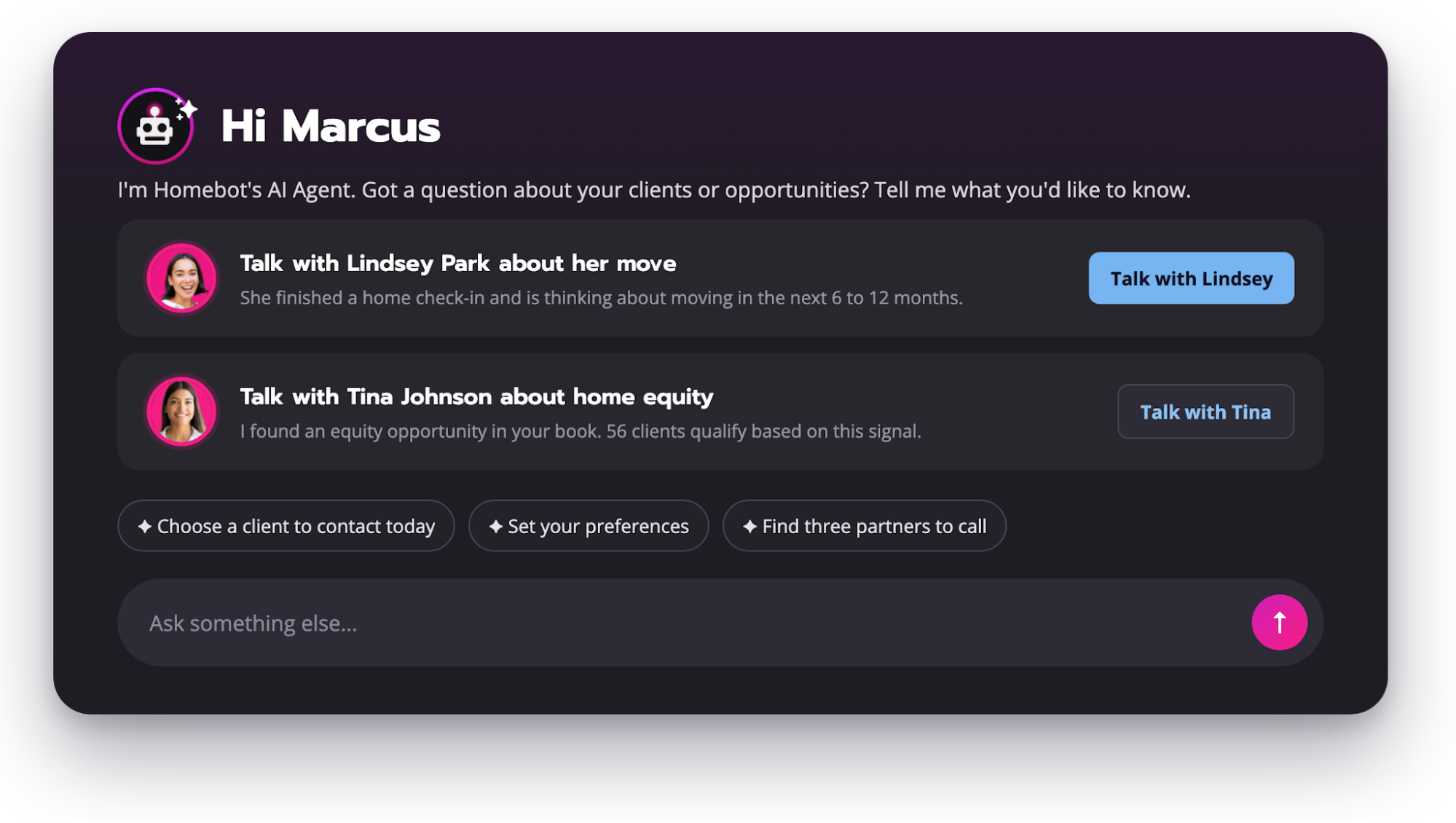
HomebotAI is the AI for mortgage loan officers and insurance agents inside Homebot, and this quarter it learned your market, your partners, and your preferences.
Think of it as a mortgage AI that already knows your database, as well as your client's needs and behaviors. You type a question the way you'd ask a colleague, and the answer comes back as names, numbers, and a chart you can act on.
1. Market and Partner Questions, Answered With Charts
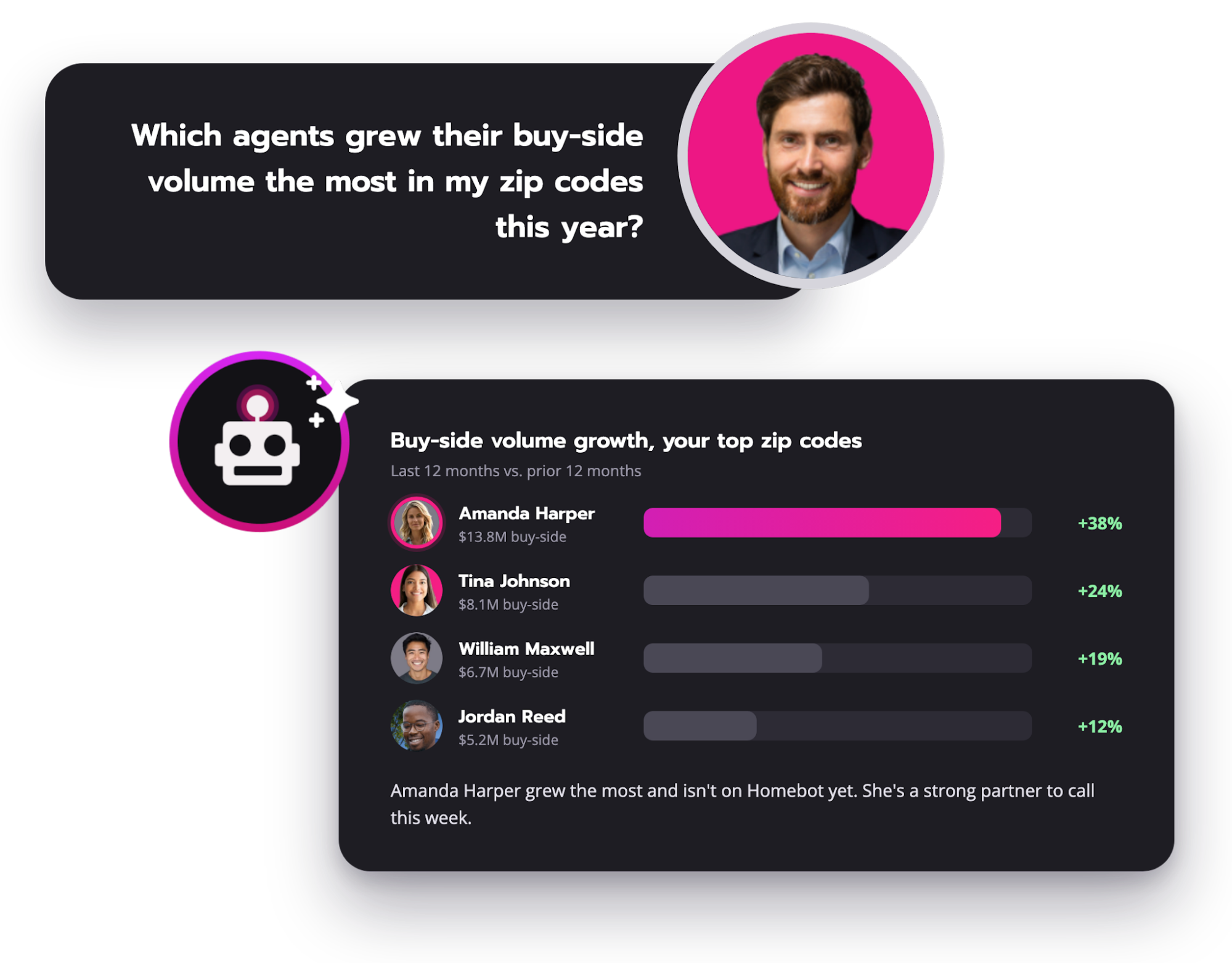
Ask HomebotAI about market share by state, agent rankings down to the zip code, or which lenders you're competing against, and it draws on Partner Intel data to answer with an interactive chart, dashboard, or table instead of a wall of text. Ask it to recommend a listing agent for a client who's ready to sell, or to run a CMA and suggest a list price, and you watch the answer build on screen as it streams in.
The reading layout is now full width, long answers no longer cut off, and you can ask about deals you've lost. And with our new AI prompts for loan officers, you can start making HomebotAI work for you with pre-made prompts.
2. Your Partners, Next to Your Database
HomebotAI can now see which preferred pros are attached to each client's home, so you can ask about your partners and your database in the same breath.
Try asking it:
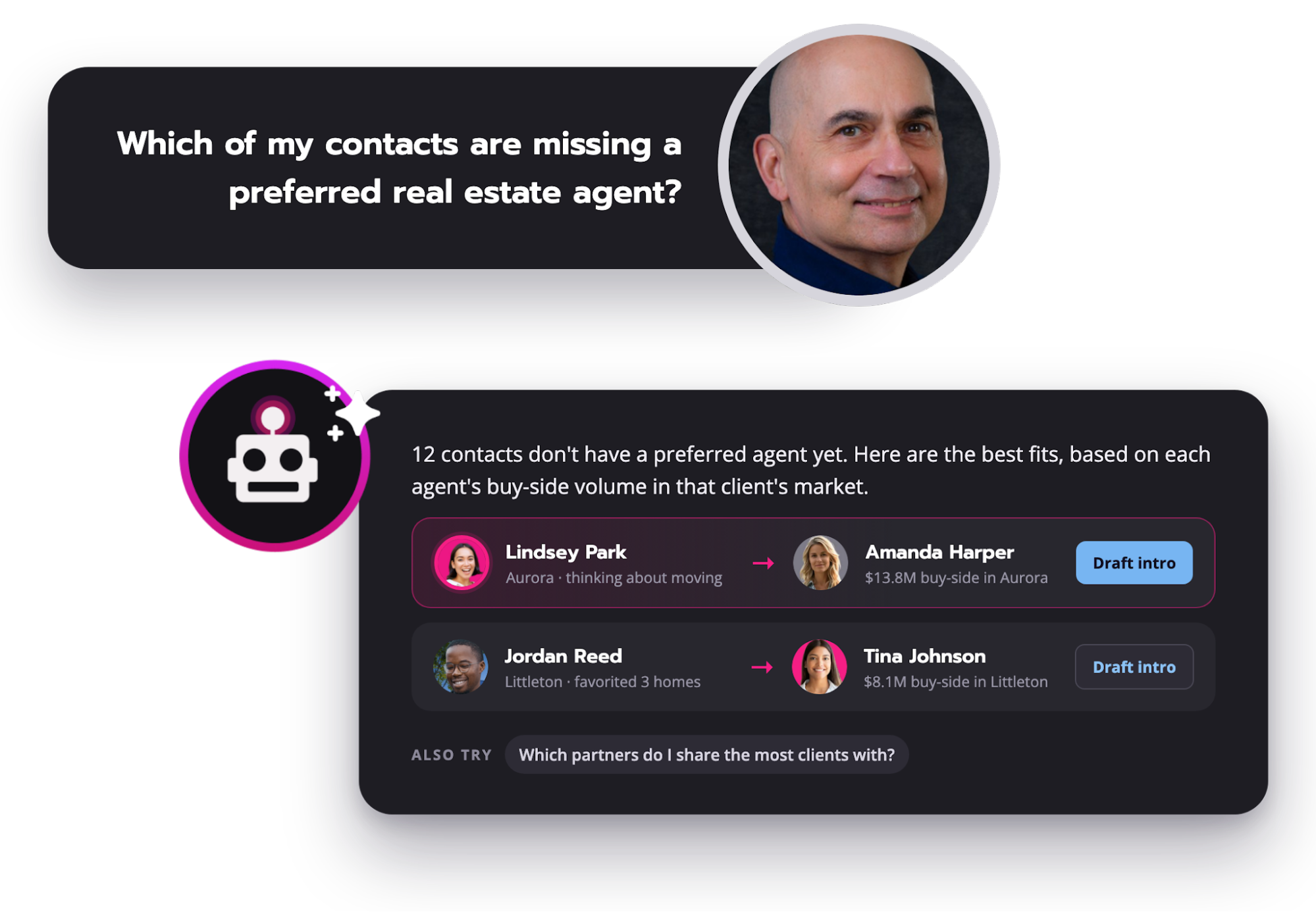
- "Which of my contacts are missing a preferred real estate agent?"
- "Who should I refer them to based on performance and fit in their market?"
- "Which partners do I share the most clients with?"
Then watch it generate a list with the reason behind every name.
How it works:
- HomebotAI reads the preferred pro on each client's home and matches it against the partner's Partner Intel performance in that market.
- Ask which of your top client opportunities are good referral leads for an existing agent partner, and the list arrives ready to send.
3. Preferences That Make HomebotAI Sound Like You
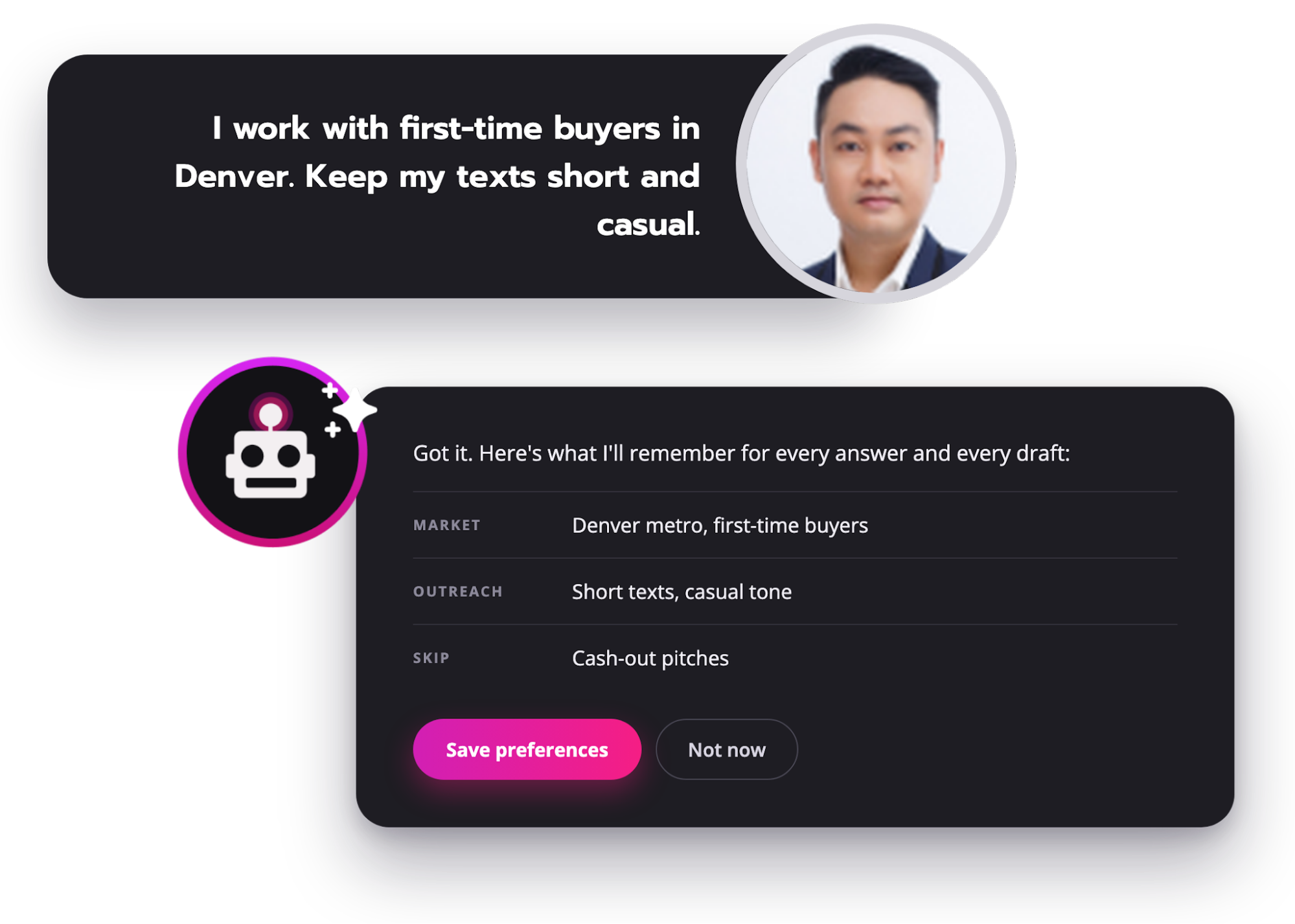
Tell HomebotAI your market and business focus, the areas and products you work, the client types you want more of, and the tone and length you want in drafted texts and emails.
HomebotAI gets your approval before saving anything, then creates drafts in your voice while avoiding recommendations that don't fit your approach.
4. New Signals: Sponsorships, Repeat Deals, Favorited Homes, and Zip-Level Market Data
The same release gave HomebotAI three new things to learn about your database. It can see:
- Sponsorships (who you sponsor) and partner with.
- Your contacts matched against public-record transaction data.
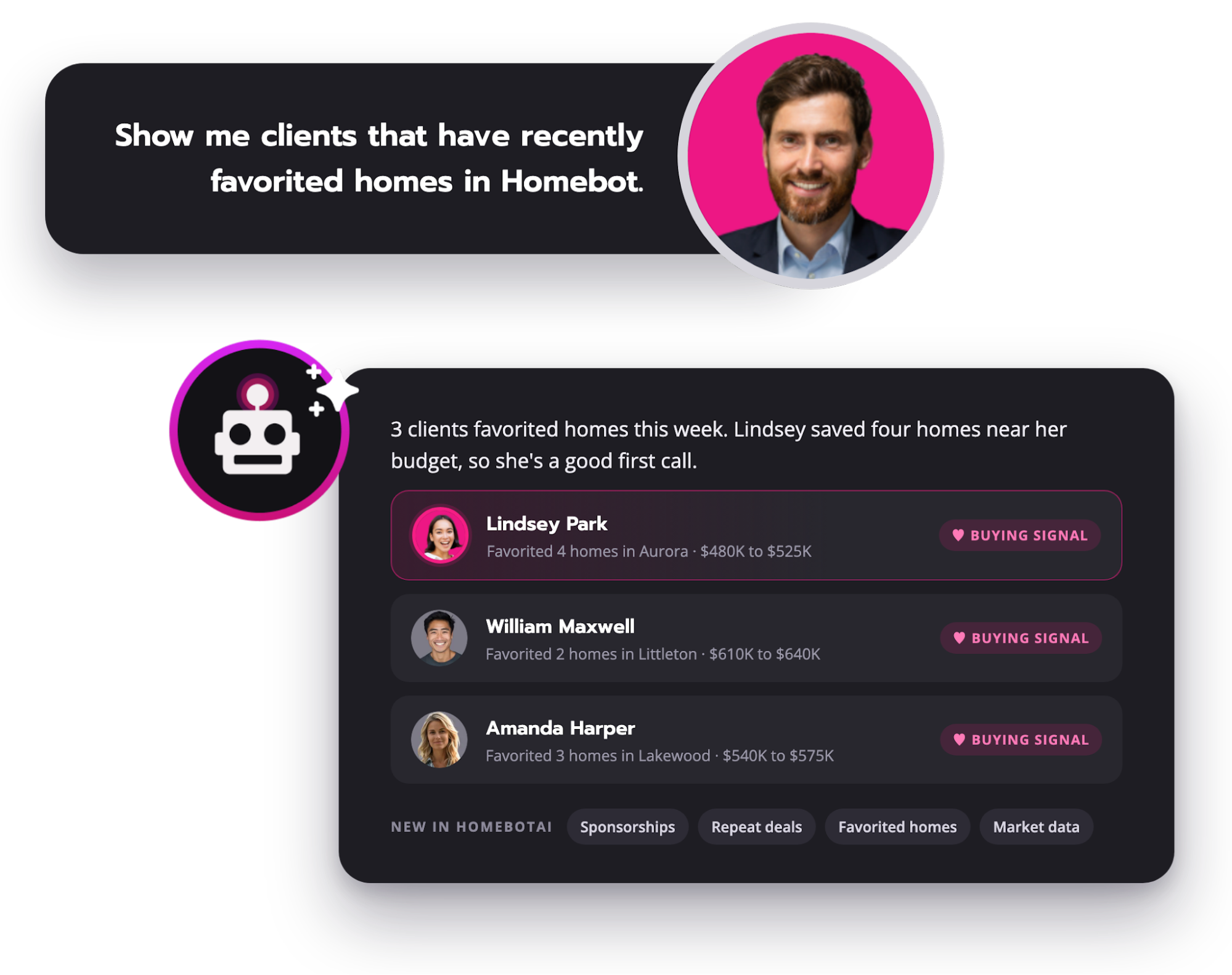
- The listings your clients have favorited inside Homebot, which is a buying-intent signal most real estate AI tools never see.
Why this matters:
- Ask "How many deals have I lost in the past year and what's my retention rate?" and you get a number instead of a guess.
- Ask "Show me clients that have recently favorited homes in Homebot Home Search" and you have today's call list.
As the quarter closed, HomebotAI also picked up local market data for any zip, city, or state: market temperature, median prices, inventory, days on market, and how each has moved over time. Ask "Which of my clients' homes are in hot seller markets?" and it answers based on your database, not the national average.
HomebotAI is live for self-serve loan officers, title and insurance customers, and enterprise accounts that have it enabled. Client engagement data (who's opening, clicking, and checking in) and company-level preferences are on the way.
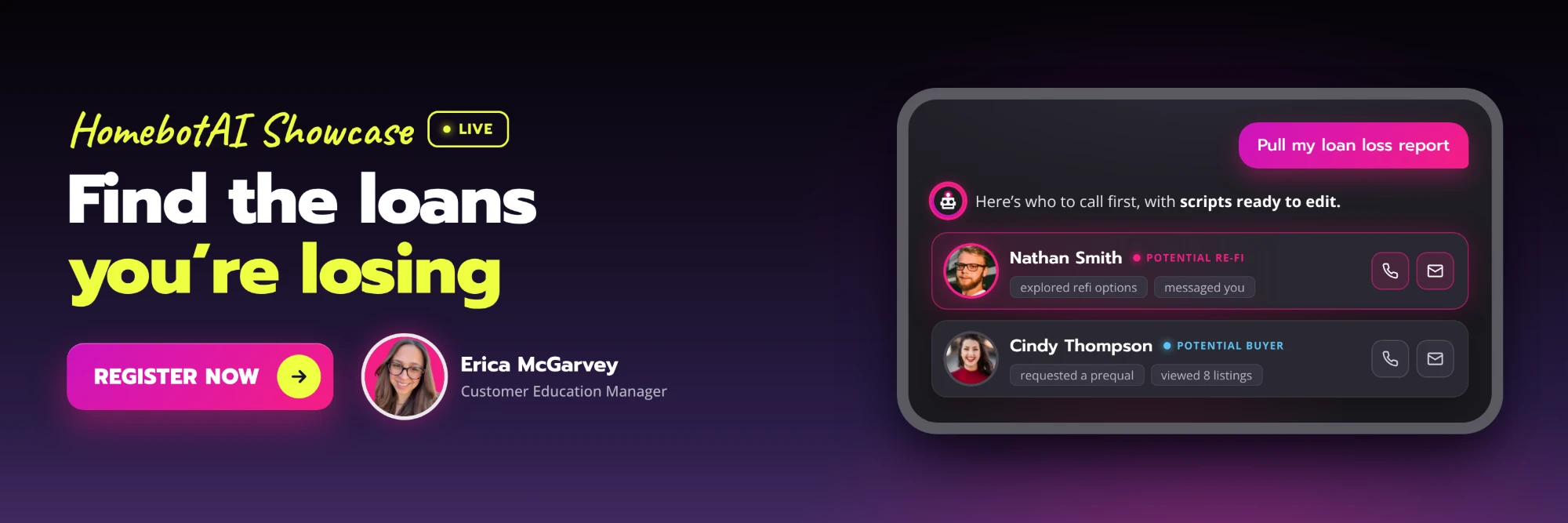
New Alerts When a Client Raises Their Hand
Homeowners tell Homebot things they haven't told you yet, and a new email makes sure you hear about it the same day. It goes straight to your inbox, with the client's own words inside.
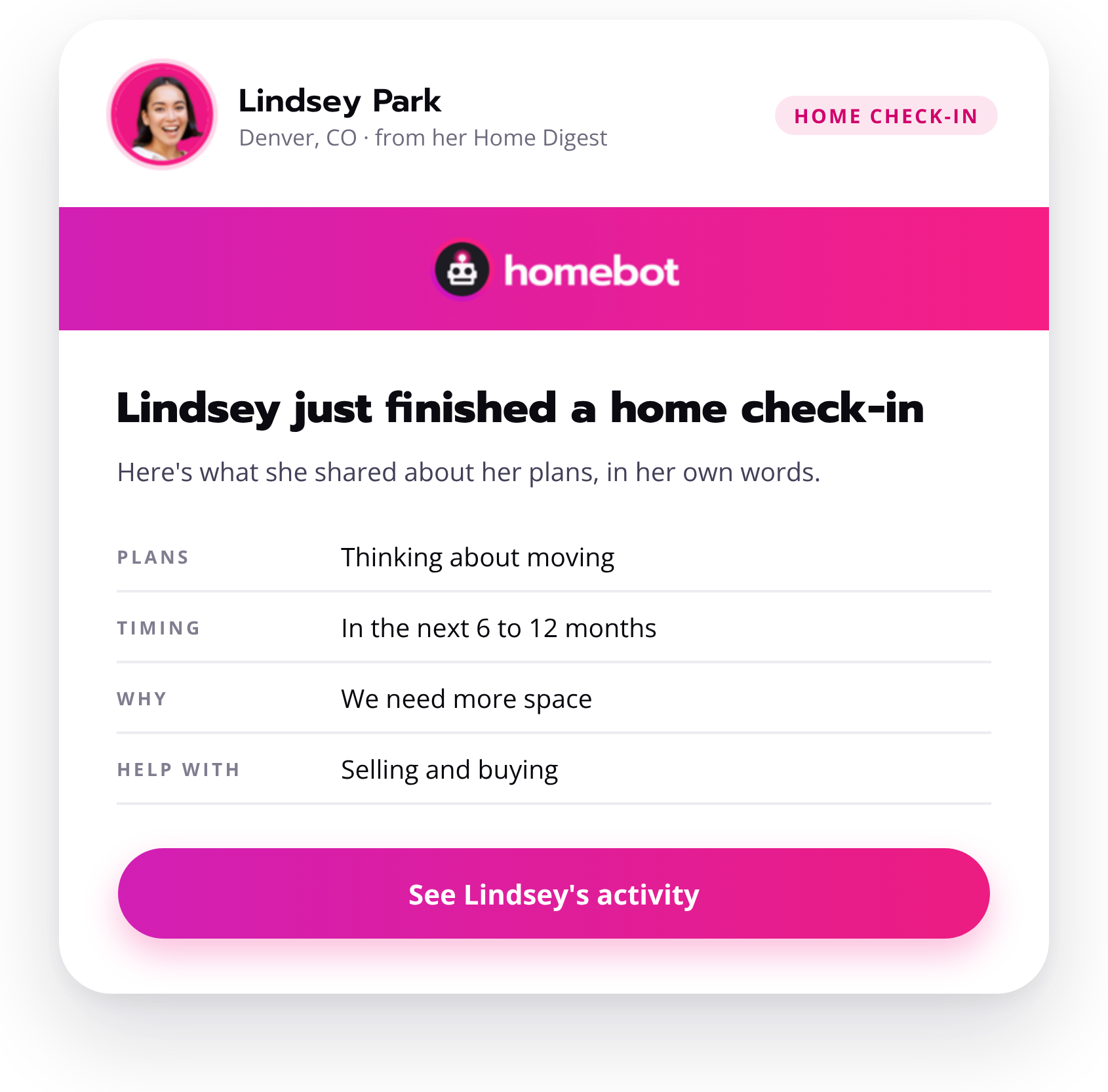
1. Home Check-In Alert Email
A home check-in is a homeowner telling you their plans in their own words: whether they're staying, why they'd move, when, and what help they want. Now, the second one of your contacts finishes a check-in, you get an email with everything they shared. If they stop partway through, the email still goes out with what they provided thus far.
Why this matters:
- You hear about a planned move on the day the homeowner writes it down, which is the answer to "which of my past clients are actually planning a move?"
- One email per check-in, sent immediately, so nothing waits for a weekly report.
Partner Intel, Rebuilt
Partner Intel got a new design in August and a Loan Loss Report in September, and together they answer "who is taking my repeat business?" and "which agents should I partner with?" from the same screen. If your week includes loan officer recruiting, this is the section to bookmark.
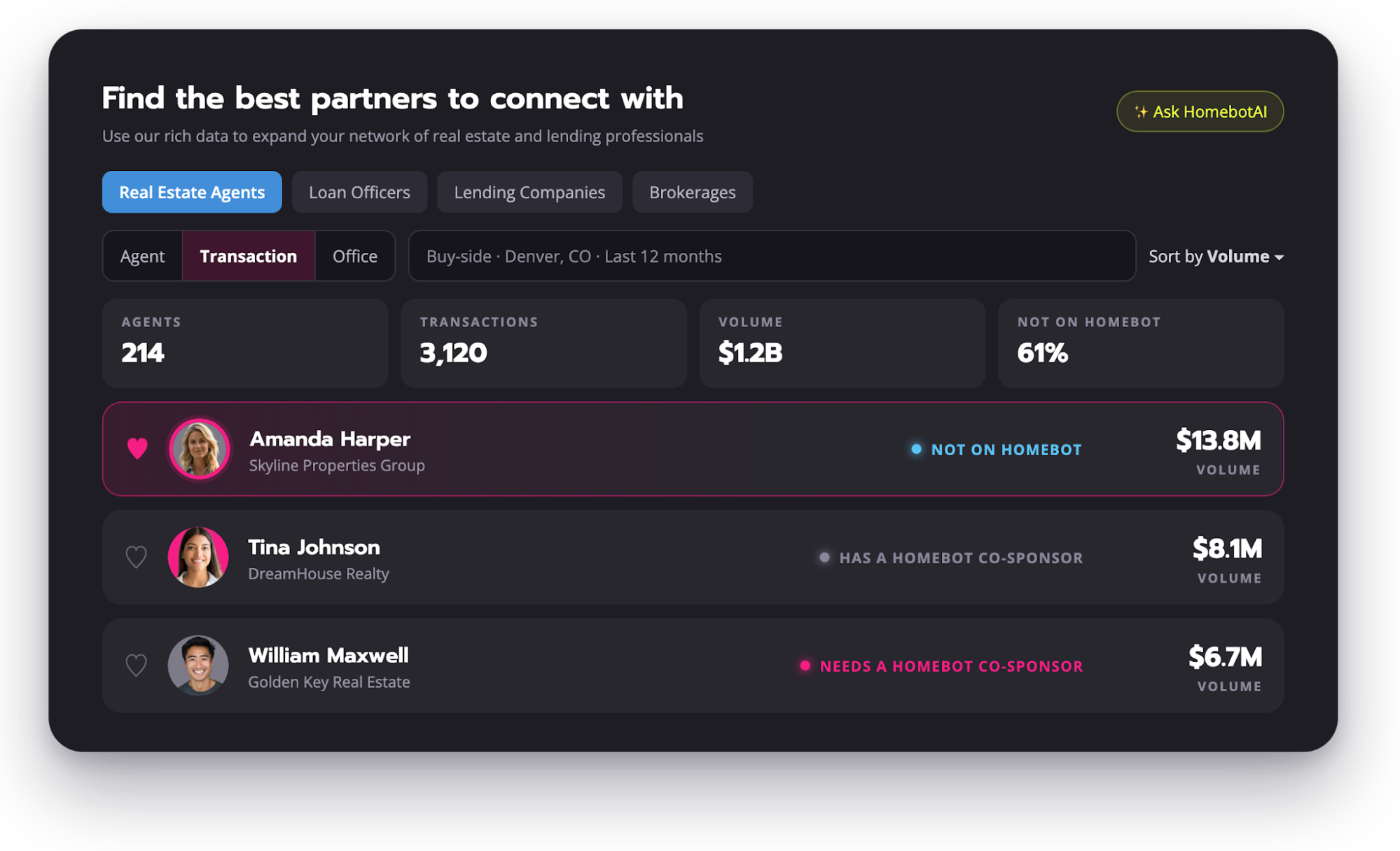
1. Search Agents by Transaction or Office
You can now search real estate agents by transaction or by office, and the stats on the search page update as you apply each filter. Sorting is cleaner too, so the agent worth calling next sits at the top of the list instead of three scrolls down.
2. Loan Loss Report
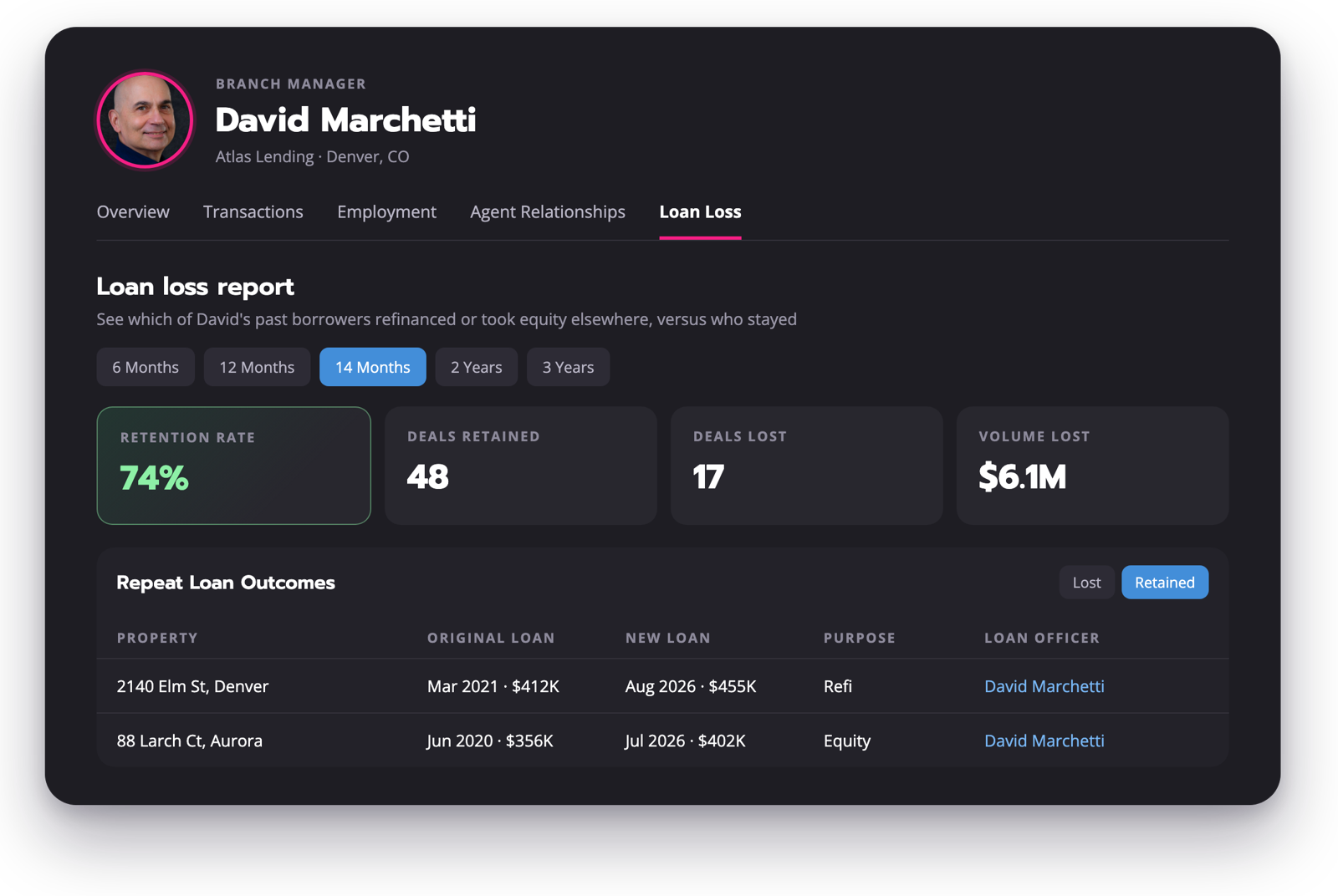
Open any loan officer's profile and the new Loan Loss tab shows which of their past borrowers refinanced or pulled equity somewhere else, versus who stayed with them. Four tiles sit at the top: Deals Lost, Deals Retained, Retention Rate, and Volume Lost, with time periods from 30 days to 3 years.
How it works:
- The table lists each property, the original loan, the lost date, the new loan amount, the purpose, the new loan officer, and the new lender, with a Lost / Retained toggle.
- Loan officers use this data to tighten up their retention strategy and try to win back clients who recently did a transaction with someone else. These clients aren't lost forever, they'll likely transact again in the future. It's worth the time to reconnect with them and re-establish a relationship.
- Use it to vet a recruit before an interview, size up a competitor before pitching their agent partners, or uncover where your own repeat business is going. For loan officer recruiting, it replaces self-reported production with verified public records.
See the Closings Homebot Helped Produce
"How do I prove the marketing is working when volume is down?" now has a number at the top of your dashboard. Self-serve loan officer plans get a running count of closed loans where the contact was engaging with Homebot before the transaction.
1. Closed Loan Count on Your Dashboard
It tracks refinances and new purchases down to the individual loan, alongside the engagement that drove them. The same data appears in your weekly leaderboard email, delivering proof your retention strategy is working without the extra digging.

Why this matters:
- Understand how your retention strategy is helping client engagement and leading to conversations that end with a closed transaction.
- Pair this with your loan loss report to see what aspects of your marketing strategy is working, and what might need some extra love before the new year.
Updates for Insurance Agents and Your Partner Team
Two smaller releases put more control in your hands: a renewals list for insurance agents and a faster way to manage who appears on your clients' teams. Both are live for every customer on the relevant plan.
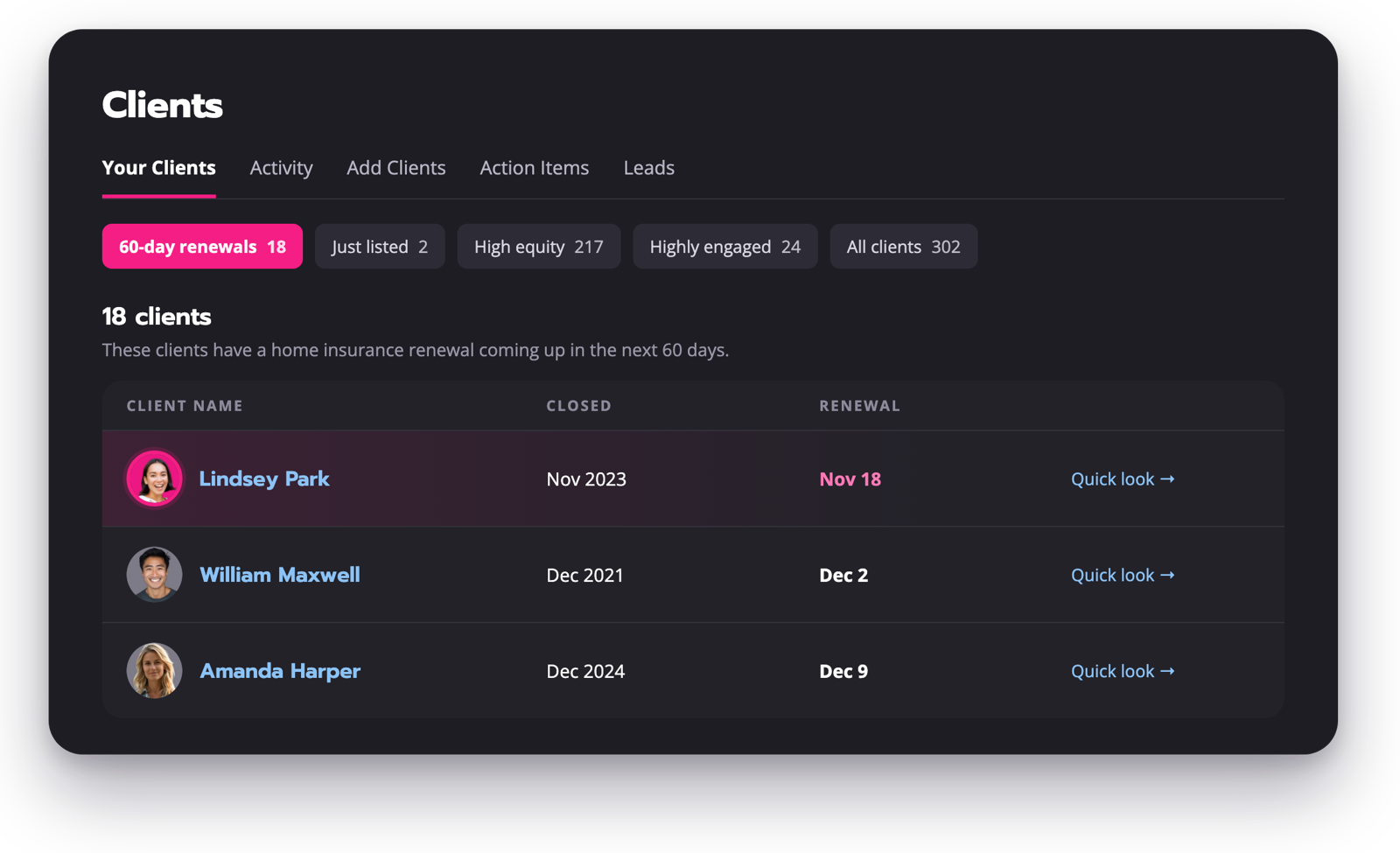
1. 60-Day Insurance Renewals List
Homeowners insurance premiums are heading toward about $3,057 a year, up roughly 46% since 2021, which makes the renewal conversation one your clients want to have. Insurance agents can now see which contacts have a home insurance renewal in the next 60 days. Most contacts don't have a renewal date on file, so Homebot calculates one from the closing or sold date, and the list sits alongside Homebot's other opportunity lists.
2. Partners Page: Bulk Replace and Remove
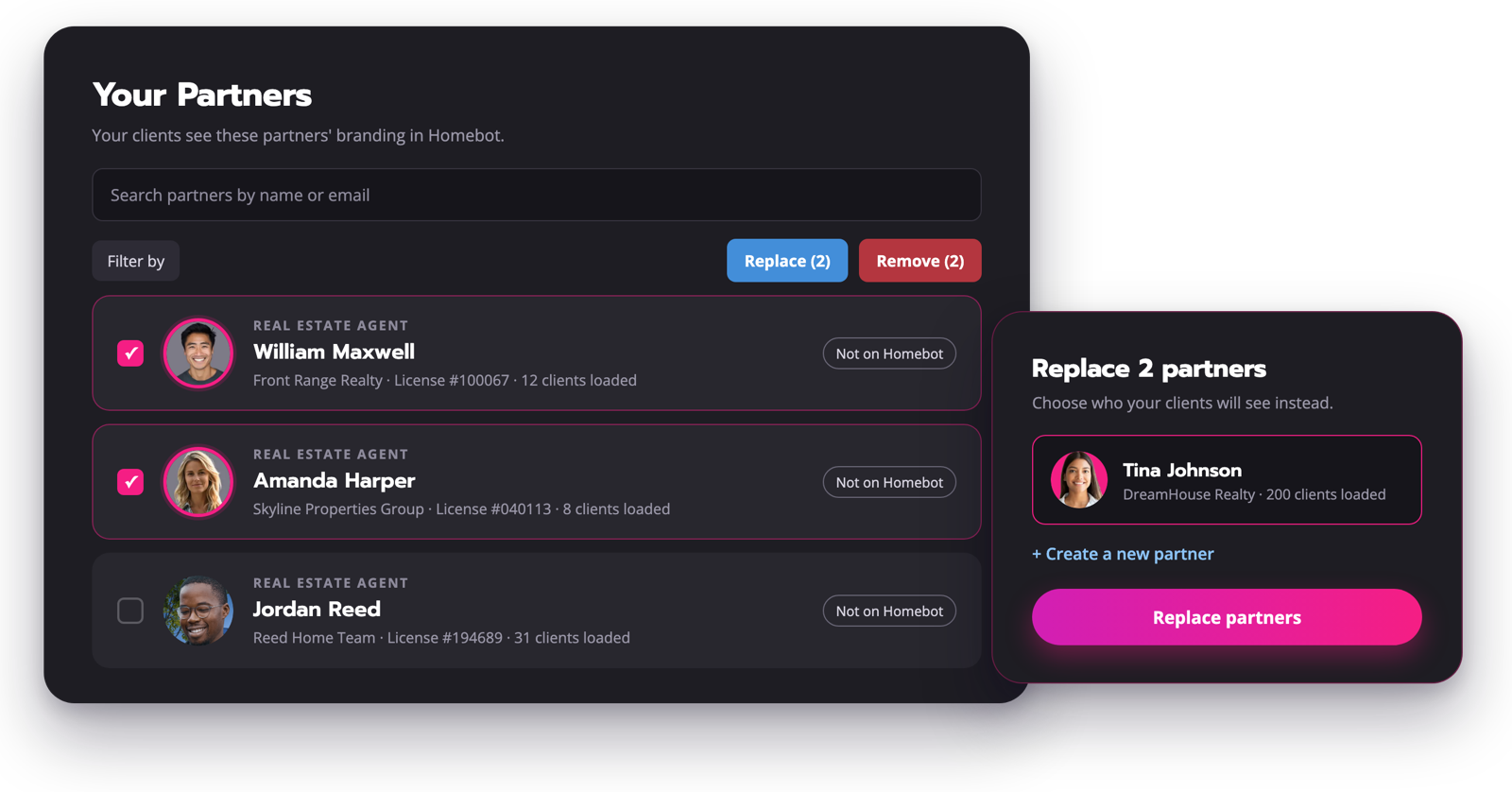
The refreshed Partners page lets you select one or more partners and remove or replace them in a few clicks. You can create a new partner right inside the replace flow, so swapping an agent across your whole database no longer means editing one record at a time.
Smarter Homeowner Emails
There are two changes to the emails your clients receive, both aimed at getting more of them opened and read. Neither needs any setup on your end.
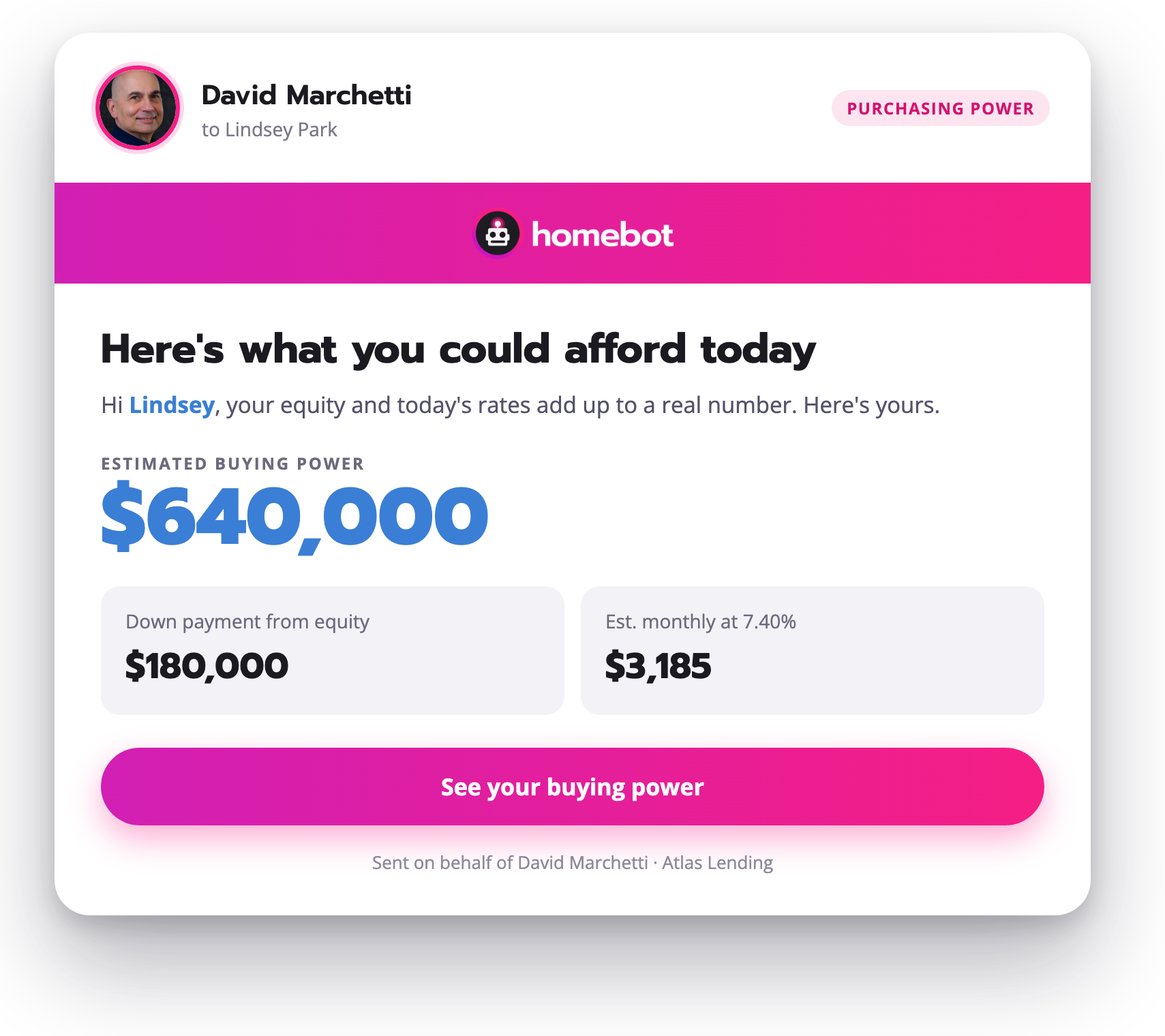
1. Purchasing Power Email Replaces the Market Report Email
The Purchasing Power email sends homeowners to a personal "what can I afford right now?" number that moves with rates and their equity, which is exactly what they're asking with rates where they are right now. It's opening at 73%, versus 60% for the Market Report email it replaced.
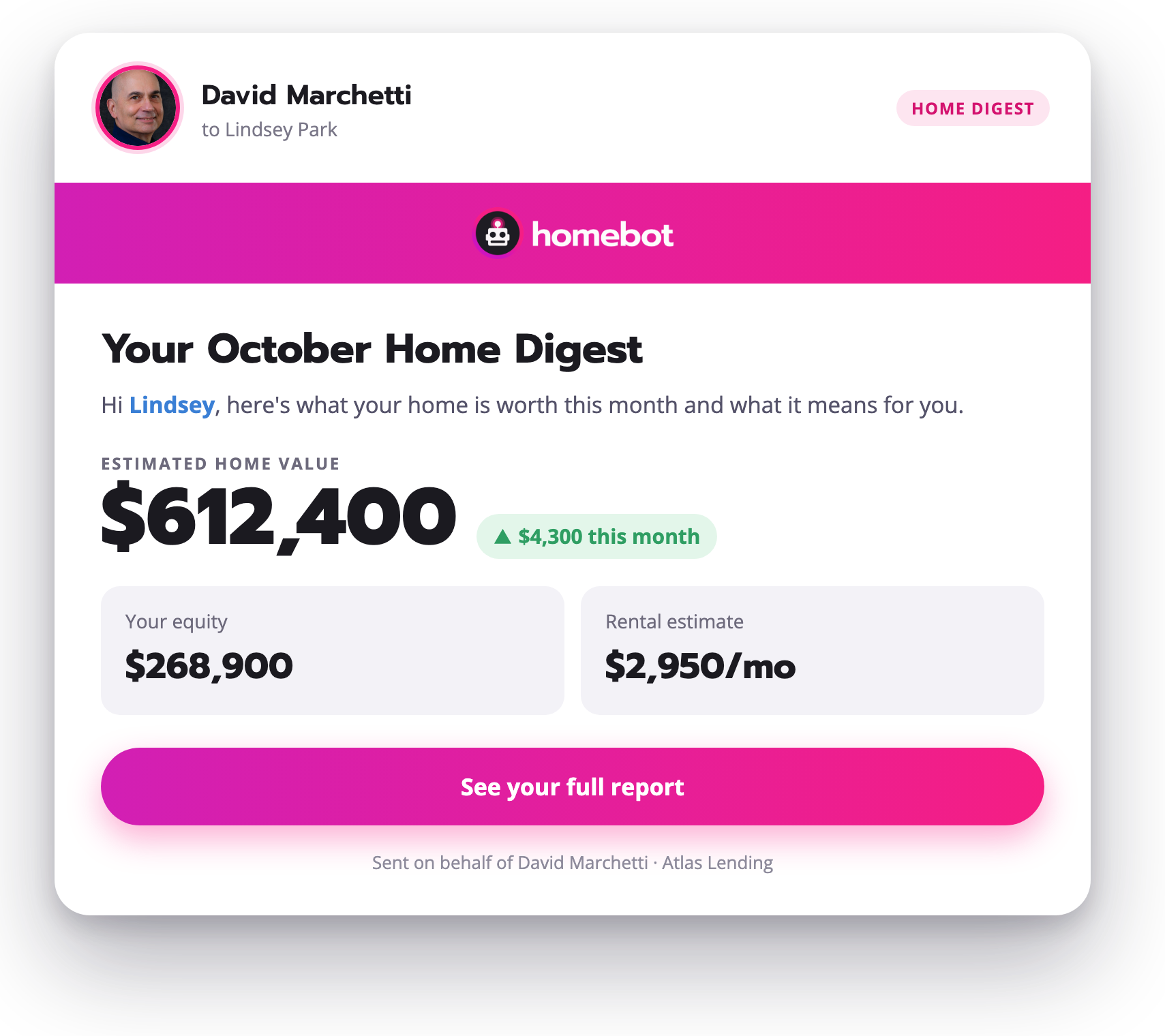
2. Light-Only Design for Every Homeowner Email
Every homeowner-facing email switched to a light-only design. That fixes text disappearing when an inbox forces dark mode, so your name and your call to action show up the way they were designed to.
Final Thoughts: Put HomebotAI and the Q3 Releases to Work Before the Next Rate Move
With rates not coming down anytime soon, the deals that close this winter are going to come from people who already know your name, and Q3 was about making those people easier to find, easier to hear, and easier to prove.
See how Homebot works for loan officers, real estate agents, and insurance agents, or book a free demo and we'll walk you through Q3's releases on your own database.